Latest updates
AI and Automation Index
This page lists AI and automation projects.
Use OpenAI Codex in the Terminal and Push Code to GitHub
Overview
This guide explains how to install, sign in to, and use OpenAI Codex from the terminal.
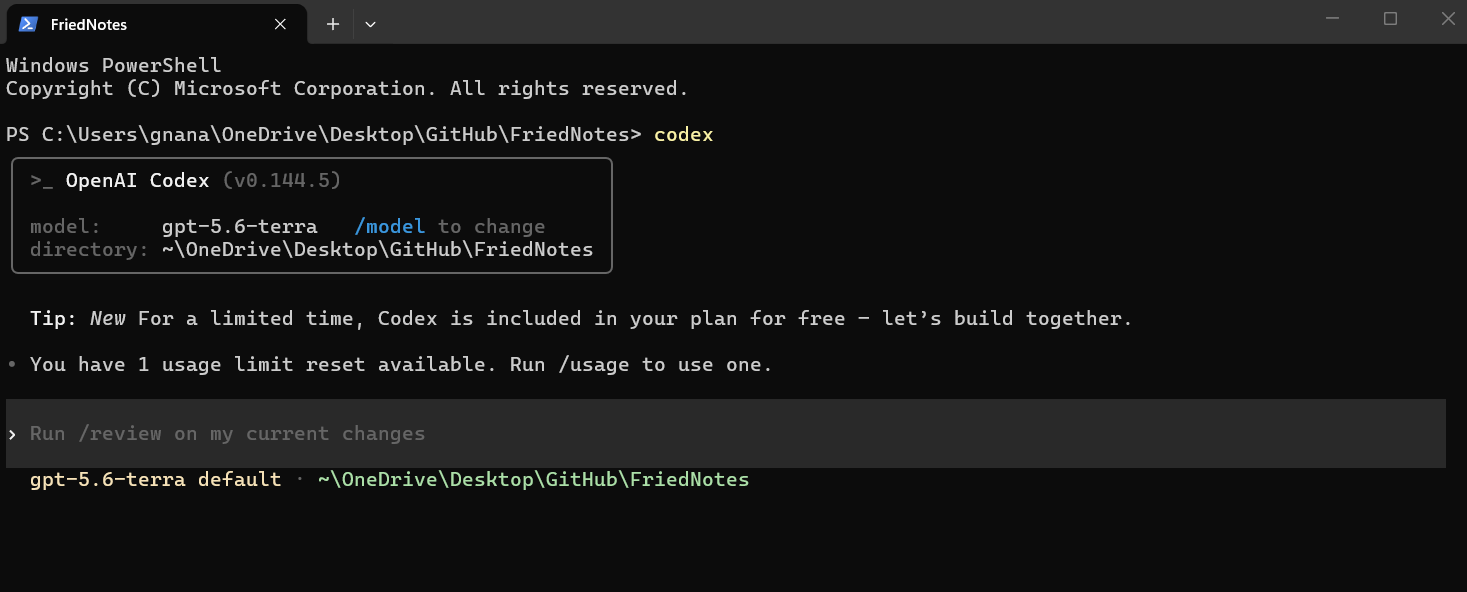
Note: To use OpenAI Codex in the terminal, you need an active OpenAI subscription that includes access to Codex features. If you use API key authentication, make sure your OpenAI account has API access enabled.
Prerequisites
Before you begin, make sure that you have:
- Git installed.
- Node.js installed.
- A GitHub account.
- An OpenAI account or API key.
- A project folder.
Verify your tools:
git --version
node --version
Install Codex
Install the CLI.
npm install -g @openai/codex
Verify the installation.
codex --version
Expected result:
The terminal displays the installed version.
Sign in
If the CLI supports interactive authentication:
codex login
After you run the login command, your default web browser opens.
Sign in with your OpenAI account and complete the authentication process. When authentication succeeds, return to the terminal to continue.
Start Codex
Open your project.
cd my-project
codex
Work with Codex
Example prompts:
Explain this project.

Add input validation.

Fix failing tests.

Generate test case.
Review every proposed change before accepting it.
Test Your Changes
Run your project’s tests.
npm test
or
dotnet test
Resolve issues before committing.
Push Your Changes to GitHub
After you review your changes and verify that your code works as expected, you can push your changes to your GitHub repository by using your team’s standard Git workflow.
For more information about working with Git and GitHub, see your organization’s documentation or the GitHub documentation.
Troubleshooting
| Issue | Resolution |
|---|---|
| Command not found | Verify installation and PATH |
| Authentication failed | Verify your API key or sign in again |
| Push rejected | Pull the latest changes, resolve conflicts and push again |
| Permission denied | Verify repository permissions and remote URL |
Best Practices
- Review generated code.
- Run tests before every commit.
- Use descriptive commit messages.
- Keep commits small.
- Never commit secrets.